Hi all! claudash is a Ratatui app that puts every Claude Code session and project on one terminal screen:
- the sessions waiting on you, with the exact command or edit each one is asking to run
- every past conversation: search the text of all of them, read one, resume it
- a page per project with its MCP servers (logs, sign-in), spec-driven changes and their next step, worktrees, and a review of any branch in a worktree of its own
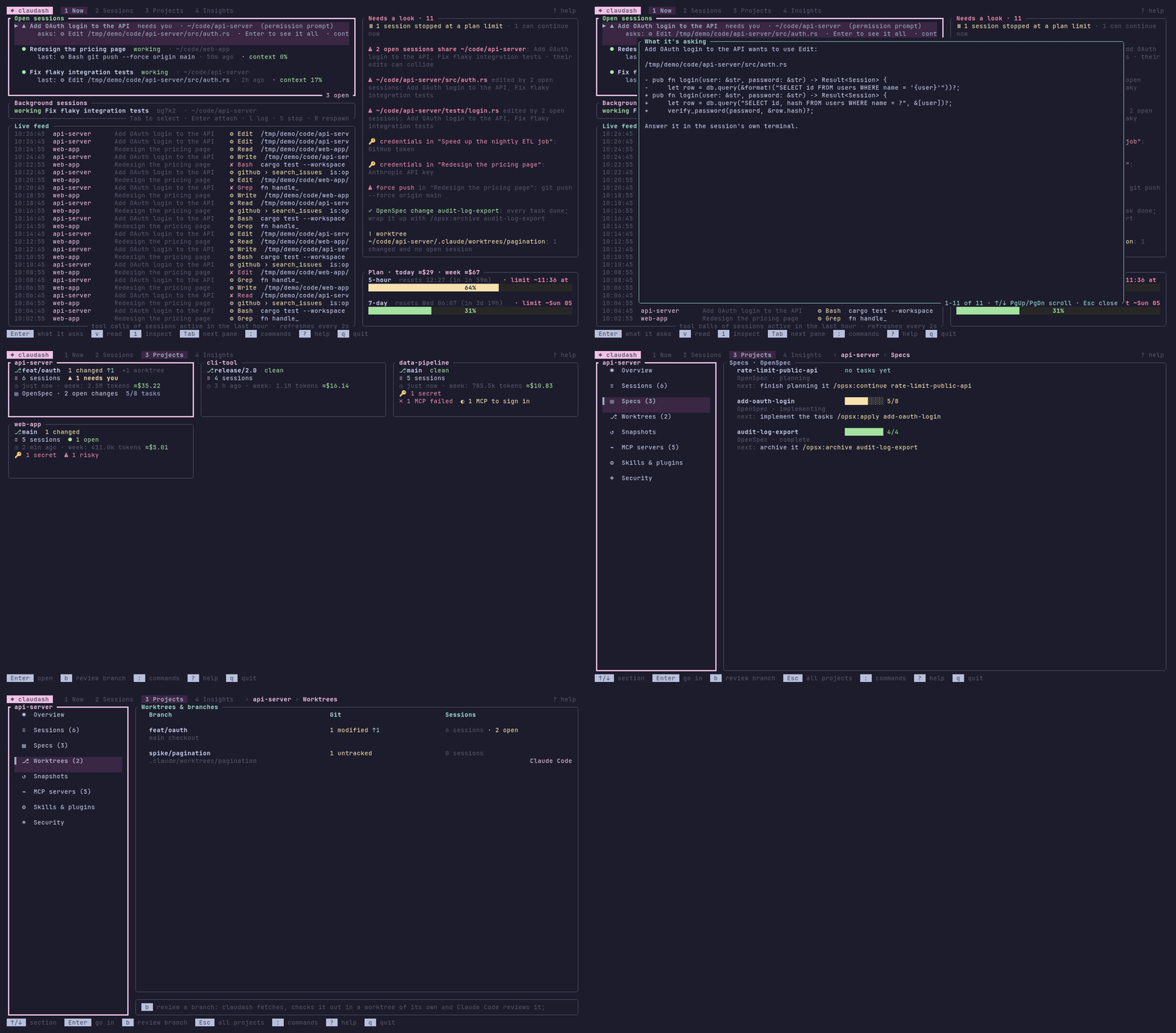
It’s one binary that reads Claude Code’s local files and runs the claude CLI: no server, no network requests of its own. I built it with Claude Code itself, directing and reviewing it.
A few things from the Ratatui side that might be useful to others:
- Render tests at every size. One test draws every view, section and popup into
TestBackendat sizes from 1x1 to 200x60. It asserts nothing about the output; it only has to not panic. It’s there to catch subtraction overflows in layout arithmetic before someone with a small tmux pane does. - One table for every key. A single
BINDINGStable (101 entries, each with its context, keys, description and an optional footer label) feeds the footer hints, the help view and the command palette, so the three can’t disagree. - No async runtime. The loop is
crossterm::event::pollwith a 250 ms tick. Anything slow (git state, calls to theclaudeCLI, searching transcripts) runs on a std thread behind a small genericJob<T>wrapper around an mpsc channel, and the loop checks it withtry_recvon each tick.
What I’m not happy with: app.rs is close to 5,000 lines and ui/mod.rs close to 4,000. If you’ve split the state of a large Ratatui app in a way you liked, I’d like to hear how.
Repo: https://github.com/jguajardo/claudash
crates.io: crates.io: Rust Package Registry
It was added to awesome-ratatui this week; thank you for that.